
Read the logs of a crashed container in K3s
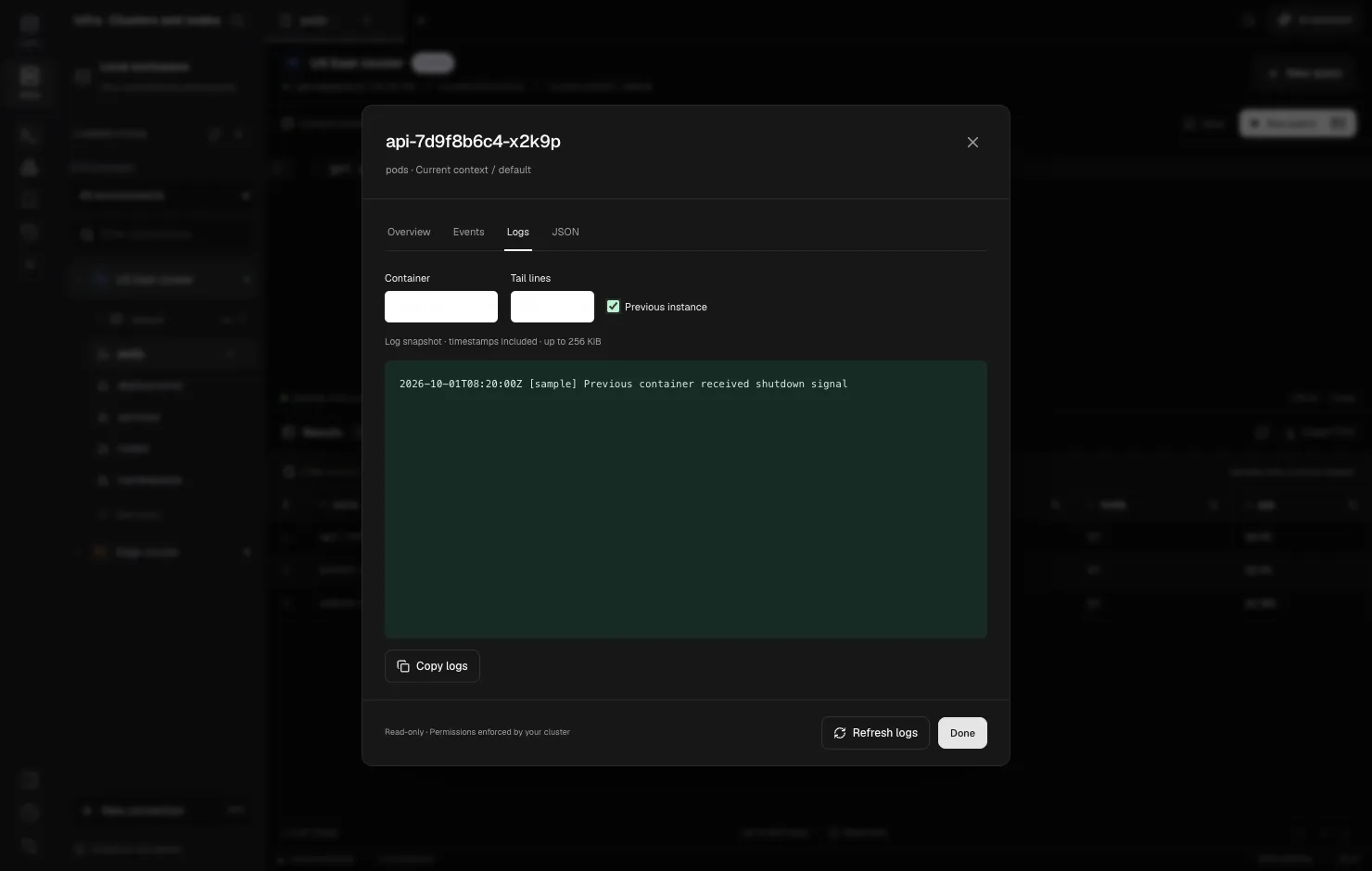
When a container crashes and Kubernetes restarts it, kubectl logs shows the new container’s output, which is usually a clean startup with no sign of what went wrong. The crash is in the previous instance’s logs, and you get them with --previous. The kubelet keeps only the most recent terminated instance per container, so read them before the next restart replaces them.
These steps work on any Kubernetes distribution. In K3s, kubectl is also available on the server as k3s kubectl.
Step 1: confirm it is a restart, not a reschedule
kubectl -n team-a get pod api-7d9f8b6c4-x2k9p
# NAME                  READY   STATUS             RESTARTS      AGE
# api-7d9f8b6c4-x2k9p   0/1     CrashLoopBackOff   6 (40s ago)   12m
A rising RESTARTS count means the same Pod, same node, new container. Previous logs exist. If instead the Pod name changed (a new ReplicaSet hash suffix, or a Pod evicted and recreated), the old Pod’s containers are gone with it, and --previous on the new Pod will not help.
Step 2: read the previous instance
kubectl -n team-a logs api-7d9f8b6c4-x2k9p -c api --previous --timestamps --tail=500-cpicks the container. Required when the Pod has sidecars, and also how you read an init container:-c migrate.--timestampsprefixes each line with the time, which is what lets you line logs up with events in Step 4.--tailbounds the output. Crash loops on chatty services can produce a lot.
If you get previous terminated container "api" in pod … not found, the container has not restarted yet, or the kubelet already discarded the old instance.
Step 3: read the exit reason
The logs show what the process printed. The termination state shows how it ended:
kubectl -n team-a get pod api-7d9f8b6c4-x2k9p \
  -o jsonpath='{range .status.containerStatuses[*]}{.name}{"\t"}{.lastState.terminated.reason}{"\t"}{.lastState.terminated.exitCode}{"\n"}{end}'
# api OOMKilled 137| Reason / exit code | Usually means |
|---|---|
OOMKilled, 137 |
Hit the memory limit; the kernel killed it. Logs often end mid-line. |
Error, 1 |
The app exited on its own. The cause is in the previous logs. |
Error, 137 without OOMKilled |
Killed by SIGKILL, often after a failed liveness probe. |
Error, 143 |
SIGTERM, normal for shutdown or a probe-triggered restart. |
ContainerCannotRun, 127/126 |
Wrong command or entrypoint, or a binary that is not executable. |
Step 4: read the Pod’s events by UID
Events explain restarts that the container never logged: failed probes, image pulls, evictions.
UID=$(kubectl -n team-a get pod api-7d9f8b6c4-x2k9p -o jsonpath='{.metadata.uid}')
kubectl -n team-a get events --field-selector involvedObject.uid=$UID --sort-by=.lastTimestamp
Filtering by UID rather than involvedObject.name matters when Pods are recreated with the same name, as StatefulSet Pods are. A name filter mixes in events from the previous Pod. Events are kept for a limited time (one hour by default), so check them soon.
Step 5: when the logs are already gone
If the Pod was deleted or rescheduled, the API no longer serves its logs. On K3s you can still look on the node, as long as the runtime has not garbage-collected the container:
sudo k3s crictl ps -a --name api          # find the exited container ID
sudo k3s crictl logs --tail 500 <container-id>
sudo ls /var/log/pods/team-a_api-7d9f8b6c4-x2k9p_*/api/
If you need logs after a Pod is gone, ship them somewhere else (Loki, Elasticsearch, a cloud logging service). Node-local files rotate and disappear.
Doing this in DevOpsPad
In DevOpsPad, run get pods team-a, open the Pod from the results, and switch to Logs. Pick the container (application, init and ephemeral containers are listed), choose Tail lines from 100 to 2,000, and check Previous instance. The snapshot includes timestamps and is capped at 256 KiB. Copy logs puts it on the clipboard, and Refresh logs fetches a new snapshot. It is a snapshot, not a live stream, and log output is not stored or sent to the AI assistant.
Overview shows each container’s state and restart count, which covers Steps 1 and 3. Events are matched by the Pod’s UID, as in Step 4, with a limit of 200 events or 1 MiB. When the previous instance does not exist, DevOpsPad says so instead of showing an empty box. Your identity needs get pods and get pods/log for logs and list events for events. See Pod logs, Events and RBAC permissions.