
Reach a private Kubernetes API server through an SSH bastion
When the Kubernetes API server listens on a private address, you need a hop. The simplest reliable option is an SSH local port forward through a bastion, combined with a kubeconfig that still verifies the server’s certificate. The part people get wrong is TLS: once you point kubectl at 127.0.0.1, the certificate may not match the name you used.
This guide covers the forward, the TLS fix, a SOCKS alternative, and the K3s shortcut.
Step 1: confirm the bastion can reach the API server
Everything below assumes the bastion has a route to the API server’s port. Check from the bastion, not from your laptop:
ssh ops@bastion.example.com 'nc -vz 10.0.1.10 6443'If this fails, no client-side trick will help. Fix the security group or firewall first.
Step 2: verify the bastion’s host key
Add the bastion to known_hosts only after comparing its fingerprint with one your administrator gave you out of band:
ssh-keyscan -t ed25519 bastion.example.com > /tmp/bastion.pub
ssh-keygen -lf /tmp/bastion.pub
# 256 SHA256:… bastion.example.com (ED25519)
If the SHA256: value matches, append the key to ~/.ssh/known_hosts. Accepting whatever key appears on first connect defeats the point of the bastion.
Step 3: forward a local port
ssh -N -L 6443:10.0.1.10:6443 ops@bastion.example.com-N runs no remote command, and -L forwards 127.0.0.1:6443 on your machine to 10.0.1.10:6443 as seen from the bastion. Leave it running in its own terminal.
Step 4: keep TLS verification working
Your kubeconfig still says something like server: https://10.0.1.10:6443 or https://k8s.internal:6443. Change the server to the forwarded address and tell the client which name to verify:
clusters:
  - name: prod
    cluster:
      server: https://127.0.0.1:6443
      tls-server-name: k8s.internal
      certificate-authority-data: LS0tLS1CRUdJTi...
tls-server-name makes the client check the certificate against k8s.internal while connecting to 127.0.0.1. Do not reach for insecure-skip-tls-verify: true; it removes the protection against talking to the wrong server.
Then check it:
kubectl --context prod get nodesAlternative: a SOCKS proxy
If you need several private addresses, use dynamic forwarding instead of one -L per target:
ssh -N -D 1080 ops@bastion.example.comand add a proxy to the cluster entry:
    cluster:
      server: https://10.0.1.10:6443
      proxy-url: socks5://127.0.0.1:1080
The server address stays the real one, so the certificate matches without tls-server-name. The trade-off is that the SOCKS port is open to any local process for as long as the tunnel runs.
The K3s shortcut
K3s writes its kubeconfig to /etc/rancher/k3s/k3s.yaml with server: https://127.0.0.1:6443, and its serving certificate includes 127.0.0.1. If you can SSH to the K3s server itself, forward to its loopback:
ssh -N -L 6443:127.0.0.1:6443 ops@k3s-1.example.comand the copied k3s.yaml works unchanged. Copy it with care: it holds cluster-admin client credentials. See the K3s cluster access docs.
Limits of the manual approach
- The tunnel is a separate process. When it drops, every request fails with a connection error that looks like an API server outage.
- The local port is a listener on your machine. Anything running as your user can use it while it is open.
- Multi-hop setups need
ProxyJump(ssh -J), which adds another place for host-key and agent mistakes.
Doing this in DevOpsPad
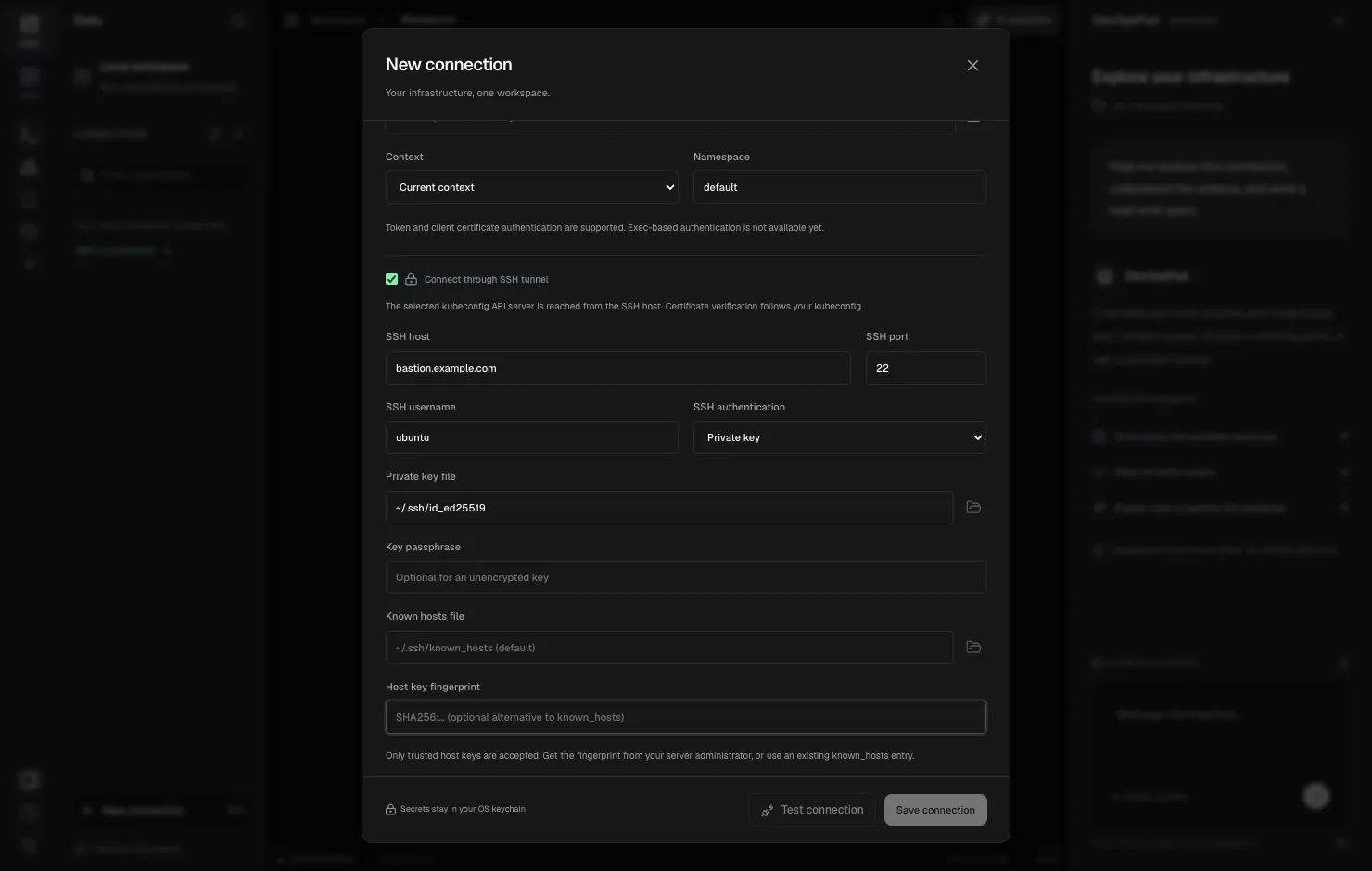
DevOpsPad builds the tunnel into the connection profile. In New connection choose Kubernetes or K3s, pick the kubeconfig and context, then enable Connect through SSH tunnel and enter the bastion host, user and authentication (private key, password or SSH Agent). The API server address in the kubeconfig is dialed from the SSH server, so for K3s 127.0.0.1 means the K3s host’s loopback, with no file edits. Certificate verification keeps using the kubeconfig’s CA, client certificate and TLS server name, and kubeconfig proxy URLs are bypassed for tunneled requests.
There is no local listening port. Each operation opens a short-lived SSH session and closes it when the operation finishes or is cancelled. The host key must already be in known_hosts or match a SHA256: fingerprint you paste in. Two limits apply: the tunnel is single-hop (no ProxyJump or OpenSSH config aliases), and exec-based kubeconfig authentication plugins are rejected. Use a token or a client certificate.
Start with the SSH tunnel overview, then kubeconfig contexts and host key verification. The design is explained in SSH tunnels without a local listener.