
MongoDB pagination: skip vs range queries
For the first few pages of a result, skip and limit are fine. To go deep into a collection, or page through one that is being written to, switch to a range query on the sort key: “give me the next 100 documents after the last one I saw”. The cost of a range query stays the same on page 1 and page 10,000. With skip, the server still has to walk past every skipped document.
Both approaches need a sort that is unique, which is the detail most pagination bugs come from.
Step 1: make the sort order total
If you sort by a field that has duplicates, documents with equal values come back in an unspecified order, and that order can differ between two queries. Pages then overlap or miss documents. Always add _id as the last sort key:
{ "createdAt": -1, "_id": -1 }and back it with a matching index:
db.orders.createIndex({ createdAt: -1, _id: -1 })Step 2: paging with skip (fine for shallow pages)
db.orders.find({ status: "paid" })
  .sort({ createdAt: -1, _id: -1 })
  .skip(200)
  .limit(100)
This is simple and lets you jump to page n directly. The costs:
- The server examines and discards
skipdocuments first, so page 1,000 does a thousand pages of work. - If documents are inserted or deleted ahead of your position between requests, every later page shifts. You see duplicates or miss documents.
Use it for admin screens where people look at the first few pages, not for exports or deep inspection.
Step 3: paging with a range (keyset pagination)
Remember the sort values of the last document on the current page, and ask for documents strictly after them. With a two-field sort, “after” means an $or:
db.orders.find({
  status: "paid",
  $or: [
    { createdAt: { $lt: ISODate("2026-11-01T09:30:00Z") } },
    { createdAt: ISODate("2026-11-01T09:30:00Z"), _id: { $lt: ObjectId("6724a1f0c2b9d0e1f2a3b4c5") } }
  ]
})
  .sort({ createdAt: -1, _id: -1 })
  .limit(100)
If you sort by _id alone, it collapses to a single condition:
db.orders.find({ _id: { $gt: ObjectId("6724a1f0c2b9d0e1f2a3b4c5") } })
  .sort({ _id: 1 })
  .limit(100)
Insertions behind your position no longer shift later pages, and each page is an index seek. The trade-off is that you can only go to the next or previous page, not jump to page 57.
Step 4: write the same query as Extended JSON
Tools that accept plain JSON (driver parsing helpers, many GUIs) need Extended JSON instead of shell helpers like ObjectId() and ISODate():
{
  "status": "paid",
  "$or": [
    { "createdAt": { "$lt": { "$date": "2026-11-01T09:30:00Z" } } },
    {
      "createdAt": { "$date": "2026-11-01T09:30:00Z" },
      "_id": { "$lt": { "$oid": "6724a1f0c2b9d0e1f2a3b4c5" } }
    }
  ]
}
{"$oid": "…"} is an ObjectId and {"$date": "…"} is a BSON date. Writing the string "6724a1f0…" without $oid compares against a string and matches nothing, which is the most common reason a copied filter “returns zero documents”.
Step 5: pick per use case
| Situation | Use |
|---|---|
| First few pages of a UI list | skip/limit |
| Jump to an arbitrary page | skip/limit (and accept the cost) |
| Export or walk a whole collection | Range on _id |
| Collection receiving writes while you read | Range on the sort key + _id |
| Deep inspection, page 100+ | Range |
Doing this in DevOpsPad
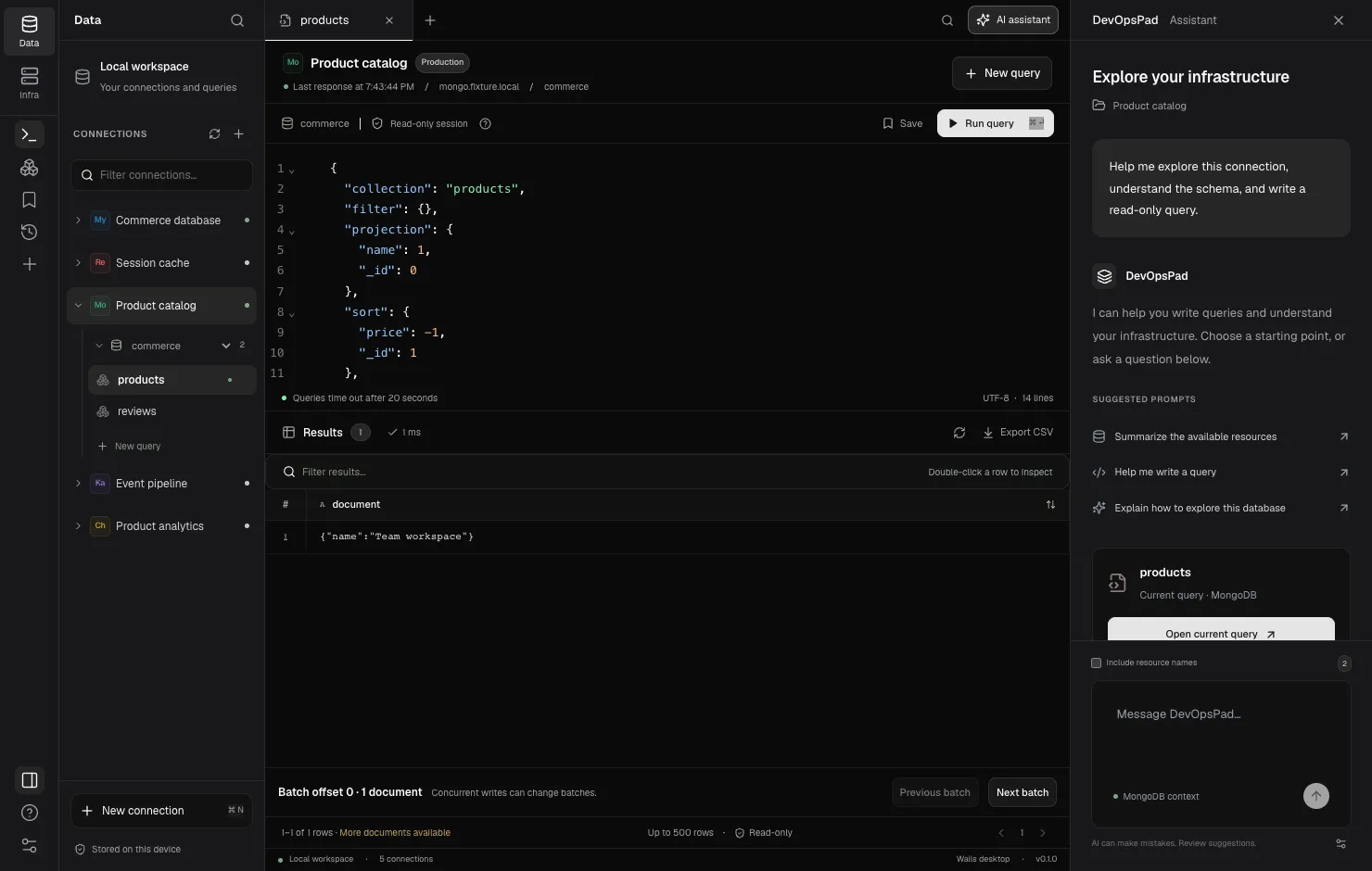
DevOpsPad’s MongoDB editor takes a JSON find request with collection, filter, projection, sort, skip and limit, and filters accept Extended JSON, so the Step 4 filter can be pasted as-is:
{
  "collection": "orders",
  "filter": { "_id": { "$gt": { "$oid": "6724a1f0c2b9d0e1f2a3b4c5" } } },
  "sort": { "_id": 1 },
  "limit": 100
}
limit defaults to 100 and can be 1–500, and the sort field order you write is preserved. If the sort does not include _id, DevOpsPad appends it as a tie-breaker, which is Step 1 done for you. Previous batch and Next batch rewrite the query with a new skip and run it, so they are offset-based. They are convenient for browsing, but they shift under concurrent writes, and skip is capped at 1,000,000. Past that point, use a range filter as above. Results keep BSON types as canonical Extended JSON, so you can copy the last _id straight into the next filter.
More detail: MongoDB batches, find queries and Extended JSON. The MongoDB connector page lists what is not supported yet, including SRV connection strings and replica set configuration.