
What DevOpsPad sends to the AI provider
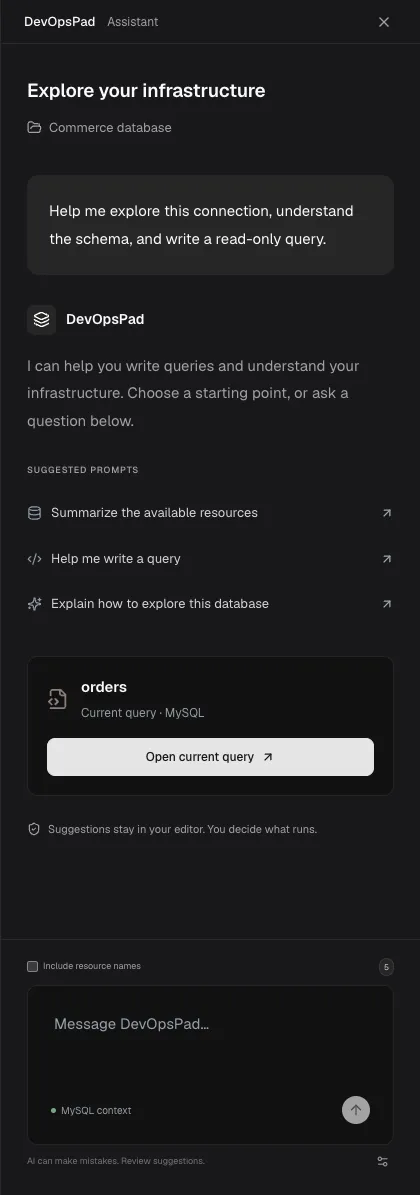
By default, an AI request from DevOpsPad contains two things: the prompt you typed and the name of the engine you are working with, such as MySQL or Kubernetes. If you check Include resource names, it also contains the names of the resources listed for the current connection. Credentials, query results, Pod logs and earlier chat messages are never sent.
Requests go directly from your machine to the provider you configured. DevOpsPad has no server in between.
What a request contains
| Part | Sent | Notes |
|---|---|---|
| Your prompt | Always | Up to 16,000 characters |
| Engine name | Always | For example mysql, redis, k8s |
| Fixed instructions | Always | Asks for concise, read-only queries and forbids inventing results |
| Resource names | Only with Include resource names | The count is shown next to the checkbox |
| Previous chat messages | Never | Each prompt is independent |
| Connection host, user, passwords, keys | Never | Secrets live in the OS keychain |
| Query text in the editor | Never automatically | Paste it into the prompt if you want help with it |
| Result rows, documents, logs | Never |
Include resource names
Include resource names is off by default. When you turn it on, DevOpsPad adds the names shown in the Explorer for the current connection and scope: table names for MySQL and ClickHouse, collection names for MongoDB, keys loaded for Redis, topic names for Kafka, and resource types for clusters.
Names only, not column definitions or contents. The model can refer to orders but not know its columns, so check generated queries against the real schema. Some Redis key names can themselves be sensitive; leave the option off if that applies to you.
The names are marked as untrusted data in the instructions, so a table called “ignore previous instructions” is treated as a name, not a command.
What the instructions ask
DevOpsPad adds a fixed system message telling the model it is an infrastructure and database assistant, to answer in concise English, to produce read-only queries for the selected engine, never to claim a query has been executed, not to invent tables, fields or results, and to put one runnable query in a fenced code block.
These are instructions to the model, not guarantees. What protects your data is that DevOpsPad never runs a suggestion by itself and the query workspace is read-only. See What is read-only in DevOpsPad.
Keep everything on your machine
To make sure nothing leaves your laptop, use a local model over loopback. See Use a local AI model.
What is not recorded
DevOpsPad does not log prompts or responses to disk. The chat in the panel is in memory and is not part of draft recovery. Your provider’s own retention policy applies to what you send it.
Frequently asked questions
Does the AI assistant see my query results?
No. Result rows, documents, Pod logs and connection credentials are never added to a request. Only your prompt, the engine name and, if you turn it on, resource names are sent.
Does the assistant remember earlier messages?
No. Each prompt is sent on its own. The conversation shown in the panel is not sent as context, so restate details in a follow-up question.