
What is DevOpsPad?
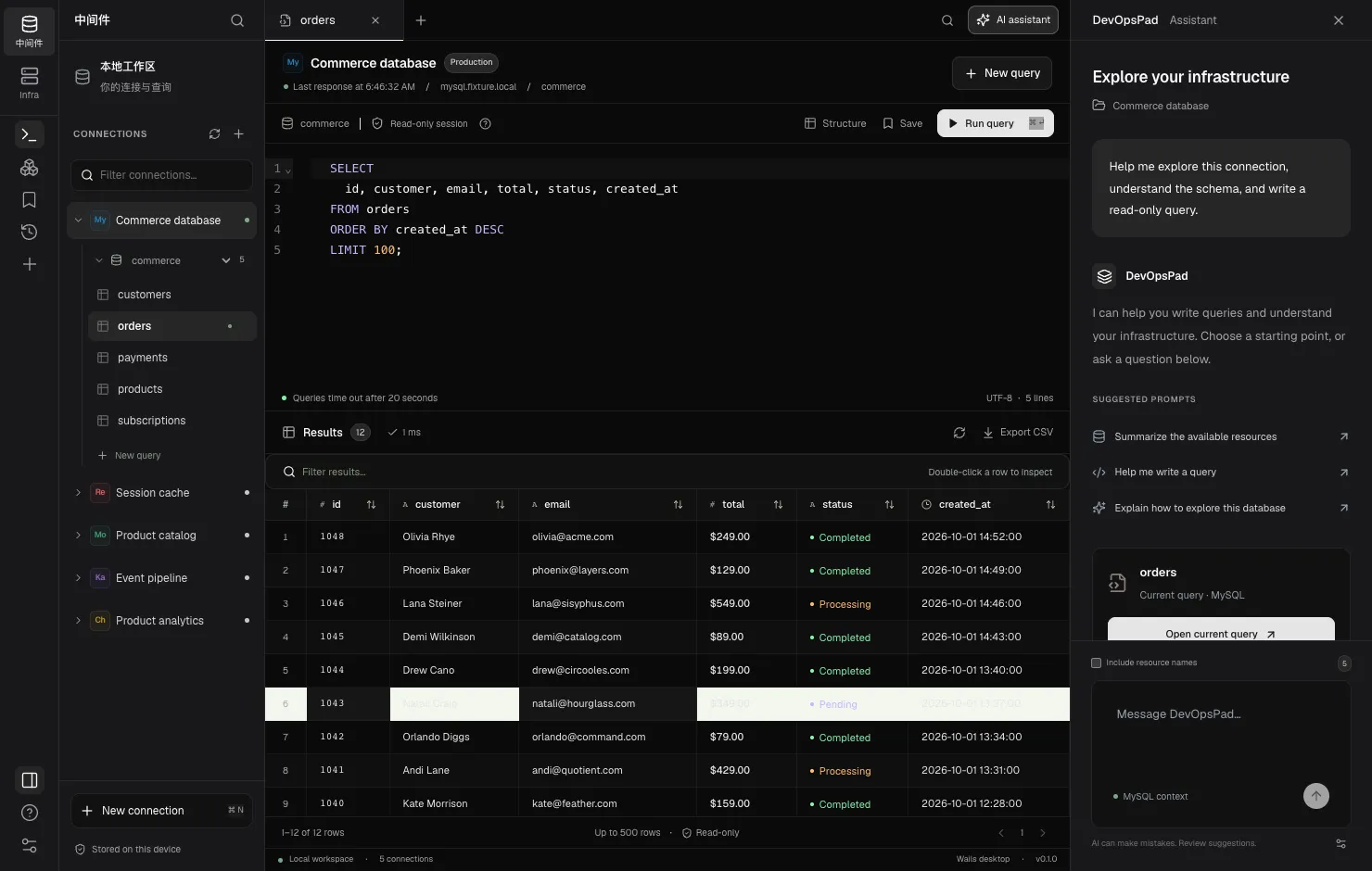
DevOpsPad is a desktop workspace for the infrastructure a small team actually runs: MySQL, Redis, MongoDB, Kafka, ClickHouse, Kubernetes and K3s. It browses and queries all of them read-only, from one window, with credentials kept in your operating system’s keychain.
Next to the database workbench, the Infra console manages applications on K3s and Kubernetes. It can release a new image to an existing Deployment, scale it, restart it and roll it back, and every one of those changes goes through a dry-run plan that you review before anything is applied. There is no server component, no account and nothing to install on your hosts.
What it does
- One client for seven engines. Connection profiles for MySQL, Redis, MongoDB, Kafka, ClickHouse, Kubernetes and K3s, each with an environment label such as Development, Staging or Production. See connection profiles.
- Read-only queries. A CodeMirror editor with independent query tabs, result sorting, filtering, row inspection and CSV export. MySQL queries run inside server-side read-only transactions; ClickHouse uses
readonly=1; Redis accepts an allowlist of read commands; MongoDB runsfind; Kafka exposes topic and partition metadata. - Cluster browsing. Kubeconfig contexts, namespaces, resource lists and details, events matched by resource UID, and bounded Pod log snapshots.
- SSH tunnels for everything. Every engine can connect through a single-hop SSH tunnel with password, private key or SSH Agent authentication, and host keys are always verified. See the SSH tunnel overview.
- Reviewed releases. The Infra console registers images by immutable digest and applies releases, scaling, restarts and rollbacks after a server-side dry run.
- An optional AI assistant. Bring an OpenAI-compatible endpoint, including a local model. By default only your prompt and the engine name are sent. Suggestions are inserted into the editor and never run on their own.
What it does not do (yet)
DevOpsPad is an early release and is honest about its gaps. These are not implemented:
- Editing table data, write queries, schema editing, import, backup and restore, migrations or sync.
- Custom TLS CA or client certificates for databases, MongoDB SRV and replica sets, Redis Cluster and Sentinel.
- Kafka message browsing, consumer groups and SCRAM authentication.
- Live log streaming and
execinto containers. - Exec-based kubeconfig authentication plugins.
- Multi-hop SSH, ProxyJump and OpenSSH config aliases.
Who it is for
DevOpsPad fits developers and small infrastructure teams who need to look at production safely: check a row, inspect a Redis key, read a Pod’s last log lines, see which broker leads a partition. It also fits teams that run a few K3s clusters and want reviewed releases without deploying a GitOps controller or a platform.
If you need a full database administration tool with editing and schema design, DevOpsPad is not there yet.
Next steps
Frequently asked questions
Does DevOpsPad need a server or an agent on my machines?
No. DevOpsPad is a desktop app. It connects directly, or through an SSH tunnel, to the databases and clusters you configure, and installs nothing on the target hosts.
Can DevOpsPad change data in my databases?
No. Database, cache and stream access is read-only in this release. MySQL runs in read-only transactions, ClickHouse queries run with readonly=1, and Redis uses a command allowlist.
Which platforms are supported?
The signed and notarized download is for macOS on Apple silicon. Windows and Linux builds are possible from source but have not been verified.