
Record AI builds and releases in DevOpsPad
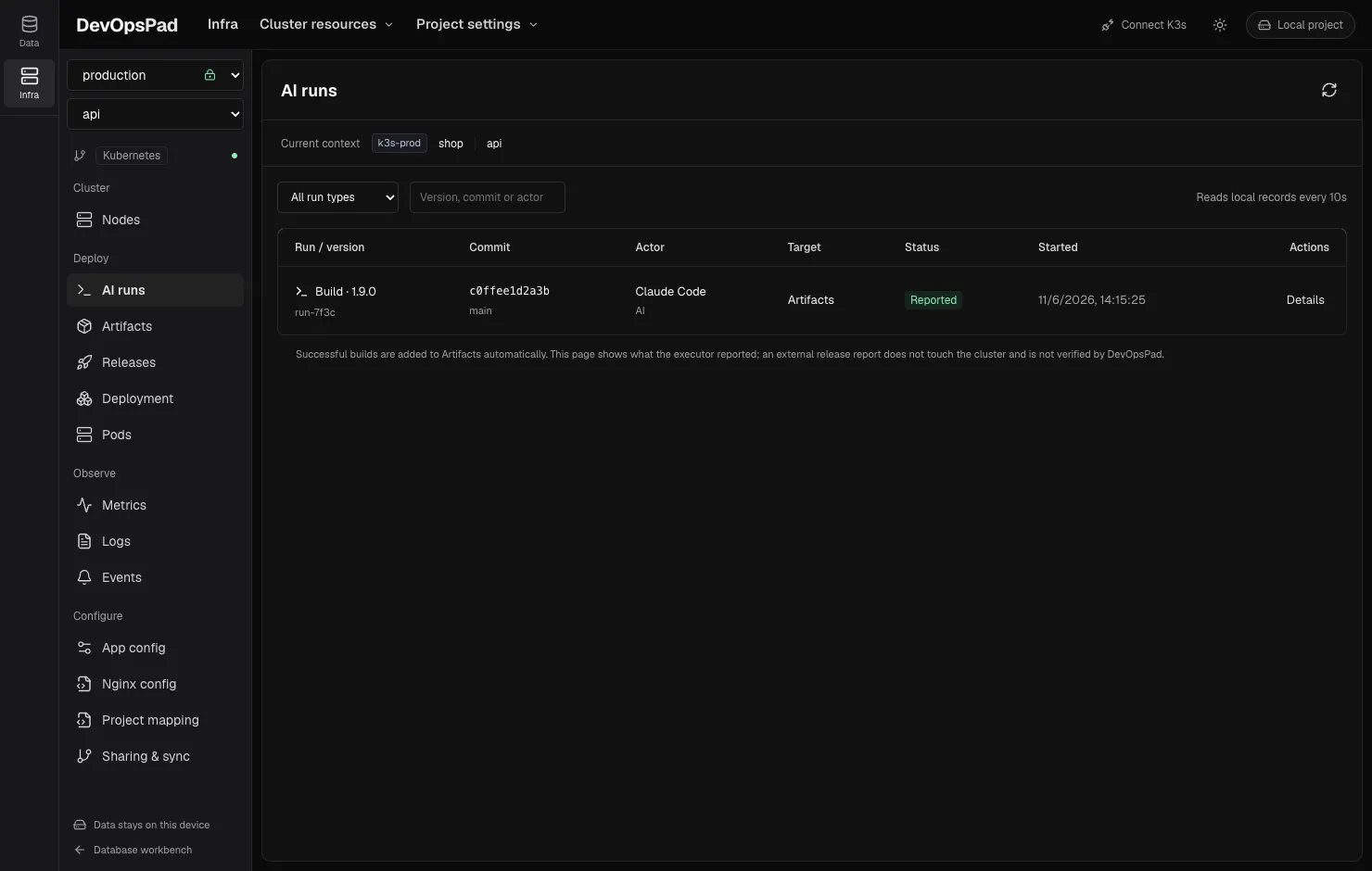
AI coding agents such as Claude Code or Codex can do the actual build and deploy work while DevOpsPad keeps the history. The agent reports start, step and finish events with devopspadctl runs record. DevOpsPad validates each event, links it to the source commit and image digest, and shows the run under AI runs. A successful build automatically becomes an artifact you can release from the desktop.
No pipeline server is needed and the desktop window doesn’t have to be open. Runs are JSON files in the project directory, synced with Git like everything else.
The protocol
Each run gets a new UUID runId; each event gets its own UUID id.
| Event | Required | Effect |
|---|---|---|
start |
kind (build or release), application, version, actor, source, recipe |
Run is running; start time is set by the CLI host |
step |
name, status (succeeded/failed), optional message |
Step appended with a timestamp |
finish |
status (succeeded/failed/cancelled), message; image on success |
Run is closed and can’t change |
actorisaiorhuman, with a name and a session or task ID.sourceis the repository and the full 40- or 64-character commit SHA, optionally with branch and a dirty flag. Branch names or tags don’t replace the SHA.recipeis a short name for how you built, for exampledocker buildx build and push— never a full command with credentials.
A start event looks like this:
{
  "apiVersion": "devopspad.run-event/v1",
  "id": "65f6db59-1a63-4be2-91be-000000000001",
  "runId": "d2123752-39ab-4ae6-9e87-8856419db18b",
  "type": "start",
  "start": {
    "kind": "build",
    "application": "svc-api",
    "version": "1.0.0",
    "actor": { "kind": "ai", "name": "Codex", "sessionId": "replace-with-real-session-id" },
    "source": {
      "repository": "https://example.com/team/svc-api.git",
      "commit": "aaaaaaaaaaaaaaaaaaaaaaaaaaaaaaaaaaaaaaaa",
      "branch": "main",
      "dirty": false
    },
    "recipe": "docker buildx build and push"
  }
}
The machine-readable contract is docs/integration/run-event.schema.json in the DevOpsPad repository. The CLI also checks cross-event rules the schema can’t express.
Build runs
- Send
startwithkind: buildbefore building. If recording fails, stop. - Run the build and record a
buildstep. - Push the image and record a
pushstep. Take the full digest from the registry or builder output. - Send
finishwithstatus: succeededandimage: registry/repository@sha256:<64 hex>.
Success requires successful build and push steps and a valid digest; any failed step blocks it. On failure, record the failed step and finish with failed and no image. The artifact’s ID equals the runId.
External release runs
When the agent deploys with your existing tooling, it starts a kind: release run with a target: environment, workload, container and the buildId of a successful build of the same application, version and source. After deploying, it must record successful rollout and image-check steps — having actually read the cluster — before finishing with the build’s digest.
These runs appear under AI runs and in Releases, marked External release with the status Reported. They don’t get a rollback button, because DevOpsPad didn’t execute them; release a known version from Artifacts instead.
Retries and limits
- Retrying is idempotent: resend the same file with the same IDs. A repeated event returns the existing record. The same event ID with different content is rejected.
- A run can hold up to 256 events and 1 MiB; one input is at most 64 KiB.
- A run that never finishes shows Running / unverified. Verify, then report
failedorcancelled. Rerun with a newrunId. - The desktop page reloads local records every 10 seconds and when the window gets focus.
- Records are local files, not a tamper-proof audit log.
Keep secrets out
Raw logs stay with the agent; events hold short summaries and an optional relative logs/... path, which DevOpsPad never reads or syncs. Strip tokens, passwords, environment variables, authenticated URLs, private keys and kubeconfig contents before reporting. Repository URLs with credentials or query parameters are rejected, but free text is not scanned.
Tell your agent
The repository ships an AGENTS.md fragment (examples/ai-integration/AGENTS.fragment.md) you can merge into a service repository so agents follow this protocol. Installing the CLI alone doesn’t intercept other tools or capture actions that bypass it.
Frequently asked questions
Is an AI run record proof that a deployment happened?
No. It is the evidence the executing agent reported, stored as a local file. DevOpsPad validates the structure and links, but it does not independently verify the cluster for external releases.
What should an agent do if reporting an event fails?
Keep the event file and resend exactly the same file with the same IDs. A duplicate event is ignored, so retrying is safe. Do not re-run the build just to get a record.